

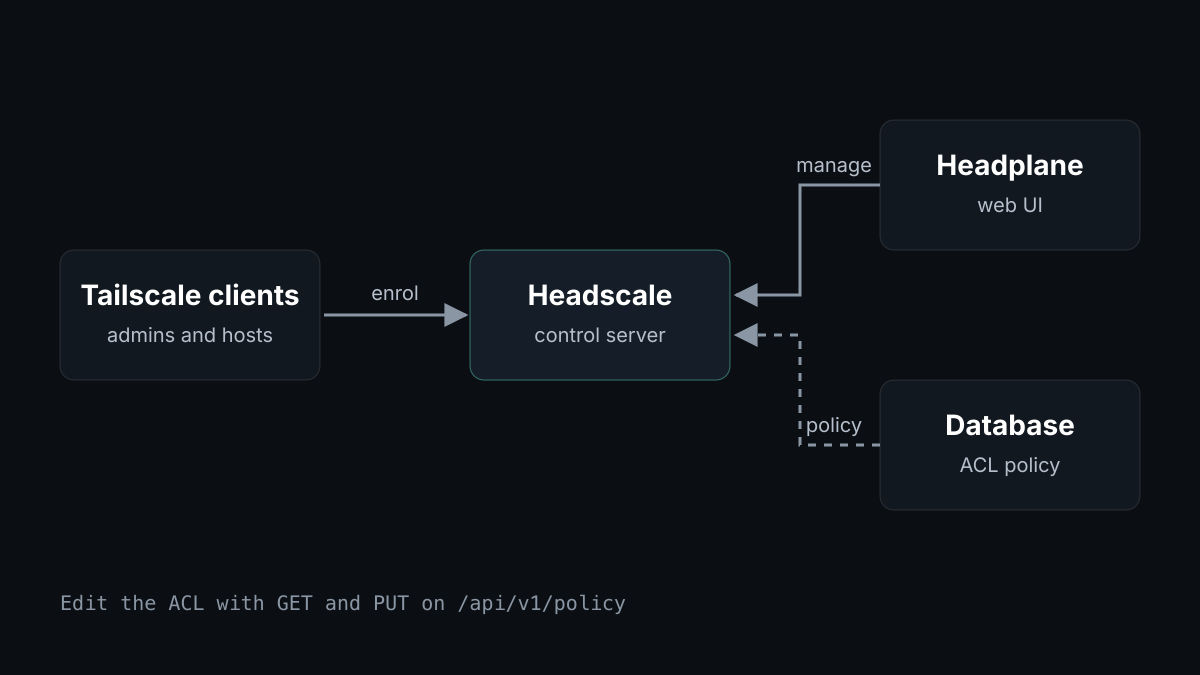
I reach my private hosts over a mesh network. I run that network myself, with Headscale as the control server and Headplane as the web interface. This post explains why, and how I now manage access without editing files on the server.
Why a self-hosted control server
Tailscale clients need a control server to enrol devices and distribute access rules. Headscale is an open-source, self-hosted implementation of that control server, licensed under BSD-3-Clause. The control plane runs on a machine I operate, under my own access rules.
Managing it in a browser
Headplane is a web UI for Headscale. It shows machines, users, DNS, and the access control list. I upgraded it from 0.7.1 to 0.8.1 with a single version pin in my infrastructure repository, and the health check stayed green.
Access rules in the database, not a file
My access rules started as a JSON file reviewed in git. Headscale can also store the policy in its database. Once the policy lives there, you can edit it through the API, using GET and PUT on /api/v1/policy. Headscale validates the policy before it saves, so a broken policy is refused rather than loaded.
The switch has one step that needs care. In file mode, Headscale rejects policy writes, so the policy cannot be imported first. Headscale's default with no policy loaded is to allow all traffic, so the live policy has to be stored straight after the switch. I did this on my shared VPN and confirmed that the stored policy matched the live one.
What I am thankful for
Thank you to the maintainers and contributors of Headscale and Headplane. A control server that works with standard Tailscale clients is hard to build, and keeping it working across releases takes steady effort. Their releases, issues, and changelogs made it possible for me to run my own network.
Try it
Start with the Headscale documentation and the Headplane install guide. Test access-rule changes on a non-production network first, and use API keys with short expiries for automation.
Runzivo runs managed GitHub Actions runners, with every job in a fresh, single-use microVM. Sign up at app.runzivo.dev.